Skip to content

Mileage tracker & trip logbook for iPhone

Every drive, beautifully logged.

StarLog notices your drives, sorts business from personal trips and turns them into clear records you can export as PDF, Excel or CSV. No paperwork, no spreadsheets, no guesswork.

Free to start · iPhone · English, Deutsch, Español, Français, Italiano

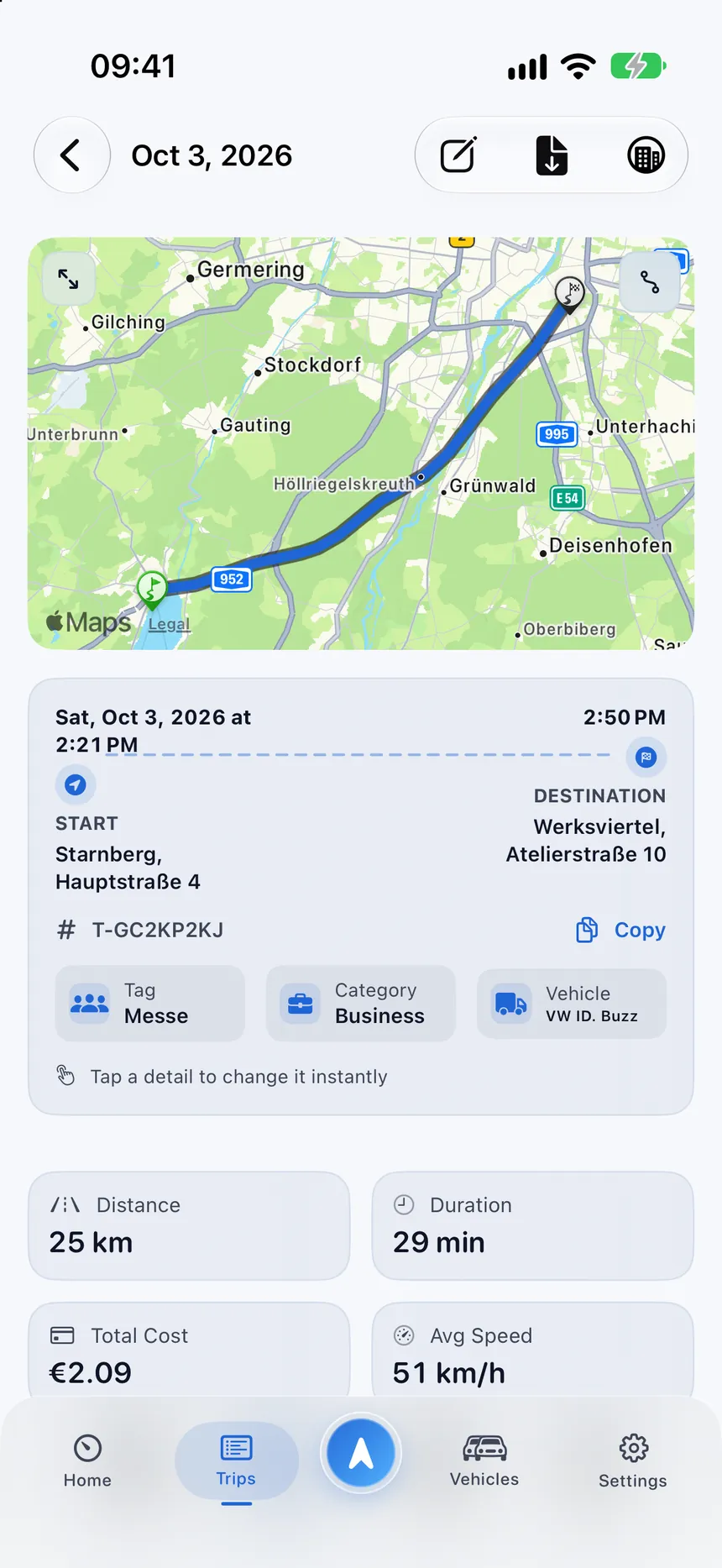
StarLog trip detail with the route on a map from Starnberg to Munich
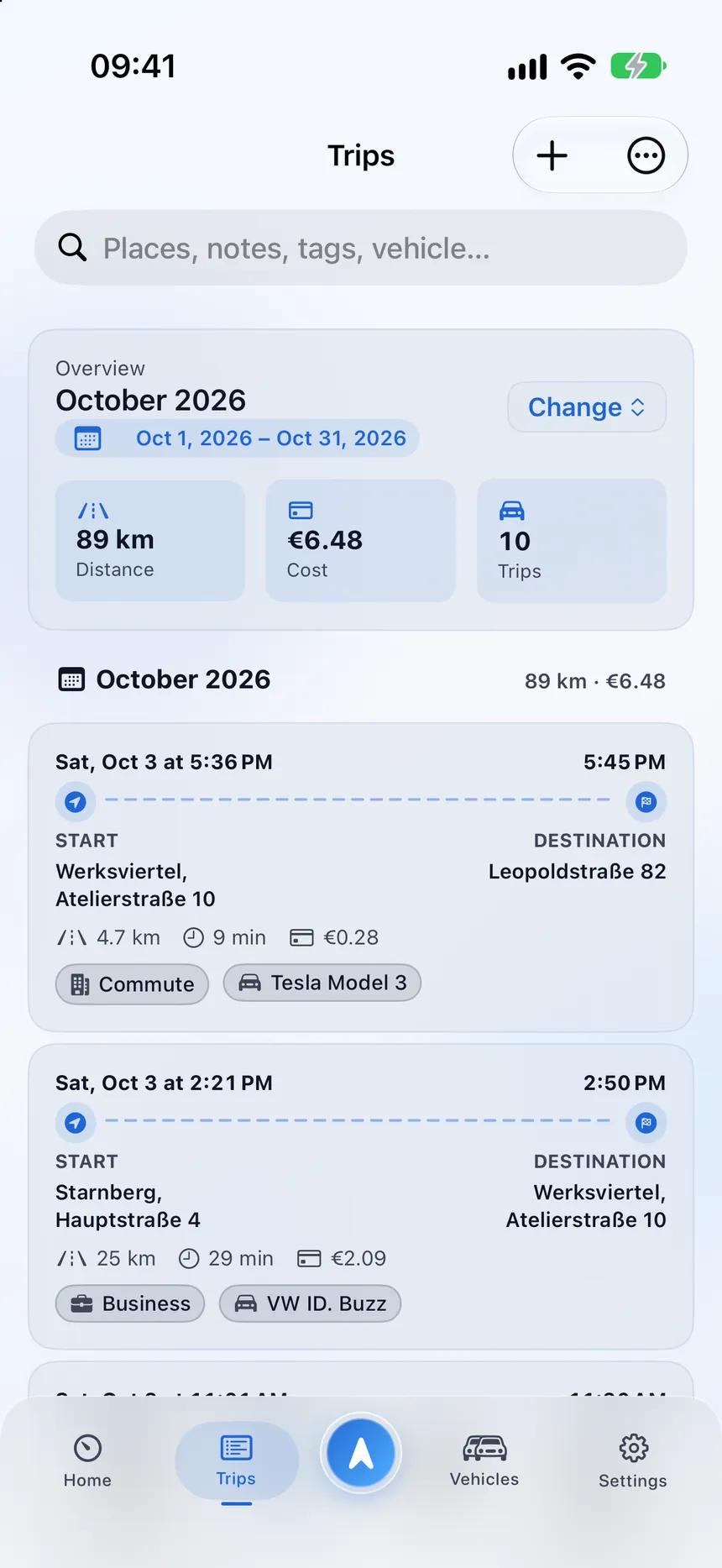
StarLog trip list with a monthly summary, costs and categorized trips
  • Automatic trip detection
  • Business and private sorting
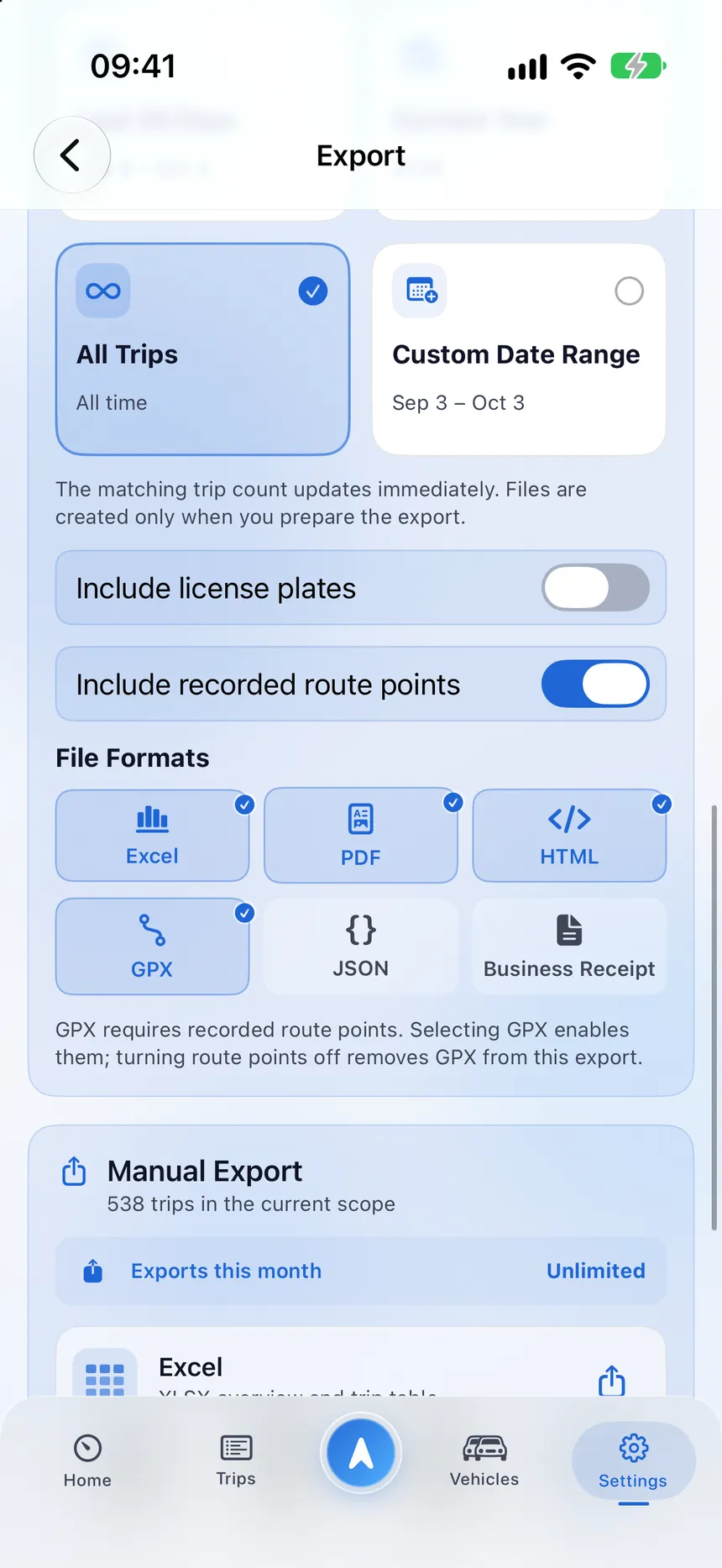
  • PDF, Excel, CSV and GPX export
  • Private iCloud sync
  • No ads. No tracking.

How it works

From the first mile to the finished record.

Three calm steps, and most of the work happens on its own.

  1. 01

    Drive as usual

    StarLog watches for credible driving signals in the background and starts a draft only when several of them agree.

  2. 02

    Review in seconds

    Pick the vehicle and category, add a note if you like. You decide what is kept, edited or deleted.

  3. 03

    Export when needed

    Create a PDF, Excel or CSV for a month, a client or a vehicle, ready to send or archive.

Everything in one logbook

A logbook that does the tedious parts for you.

From automatic detection to professional exports, StarLog brings the whole workflow into one considered iPhone app.

Drive detected18.4 km
  1. SignalsMotion · Speed · Location
  2. CheckDrive detected
  3. Trip saved18.4 km · Client visit

Trips that record themselves

Motion, speed and location are checked together, so a real drive is logged while a walk, a train ride or a short GPS wobble is not. Prefer control? Start a live trip or add one manually.
1,284km
  • Business62%
  • Commute22%
  • Private16%
  • Munich → Augsburg82.1 kmBusiness
  • Home → Office14.6 kmCommute
  • Garching → Starnberg31.4 kmPrivate

Business and private, sorted

Categories, tags, notes and a business purpose keep every trip easy to explain later.

VehicleThis month
Distance
1,284 km
Consumption
15.8 kWh/100 km
Cost
0.31 / km

Vehicles and running costs

Add cars, EVs, hybrids, vans or motorcycles and see estimated cost per trip from your own consumption and prices.

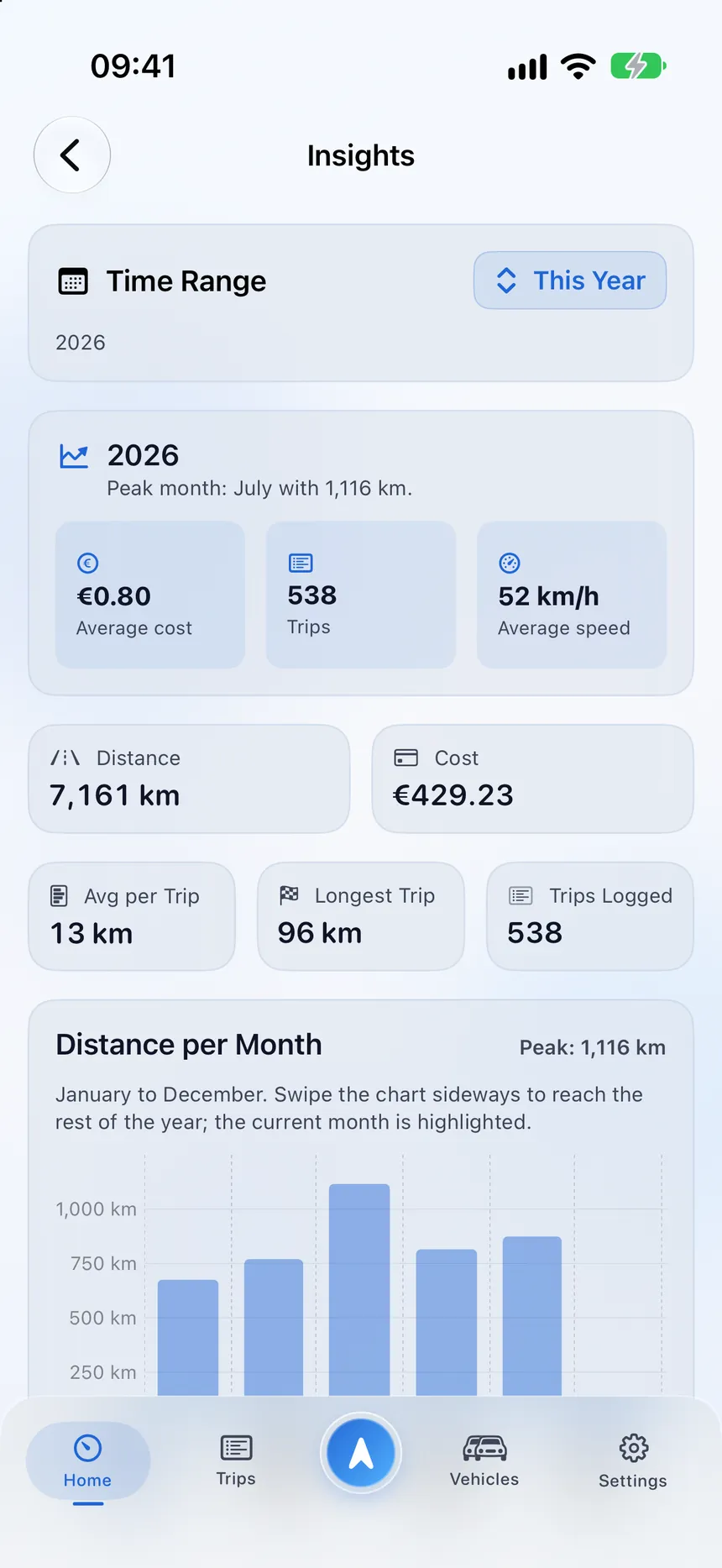
This month1,284 km
MTWTFSS

Insights that make sense

Compare days, weeks, months and years, spot your frequent routes and see where the miles go.

Receipt03.10.2026
Fuel
38.4 l
€ / l
1.67
Total64.13 €

Receipts, read on your iPhone

Scan fuel and charging receipts. Text recognition runs on the device and you review every value before it is saved.

CSV
XLSX
PDF
GPX

Exports that look professional

CSV, Excel, PDF trip reports, business-receipt PDFs, GPX and more, with stable trip IDs on every line.

12.4 kmLive Activity18:42
1,284km · This month
WidgetMunich → Augsburg82.1 km

Widgets, Live Activities and Shortcuts

See your month on the Home Screen, follow a drive on the Lock Screen and start or end tracking with a tap.

Private iCloud

Private by design

Your logbook is stored privately and kept in sync through your own iCloud. No ads, no data brokers.

Privacy

Your trips are yours. Always.

StarLog is built so the useful parts of a logbook never require giving up control of it. There are no ads, no cross-app tracking and no data brokers.

  • Stored privatelyYour logbook lives on your devices and in your private iCloud. We cannot read it.
  • Synced with iCloudWe recommend iCloud sync: it keeps your iPhone and iPad up to date and brings your logbook back on a new device.
  • You decide what is sharedJoining an organization shares nothing by itself. Trips are shared only when you choose to.
Read the Privacy Policy
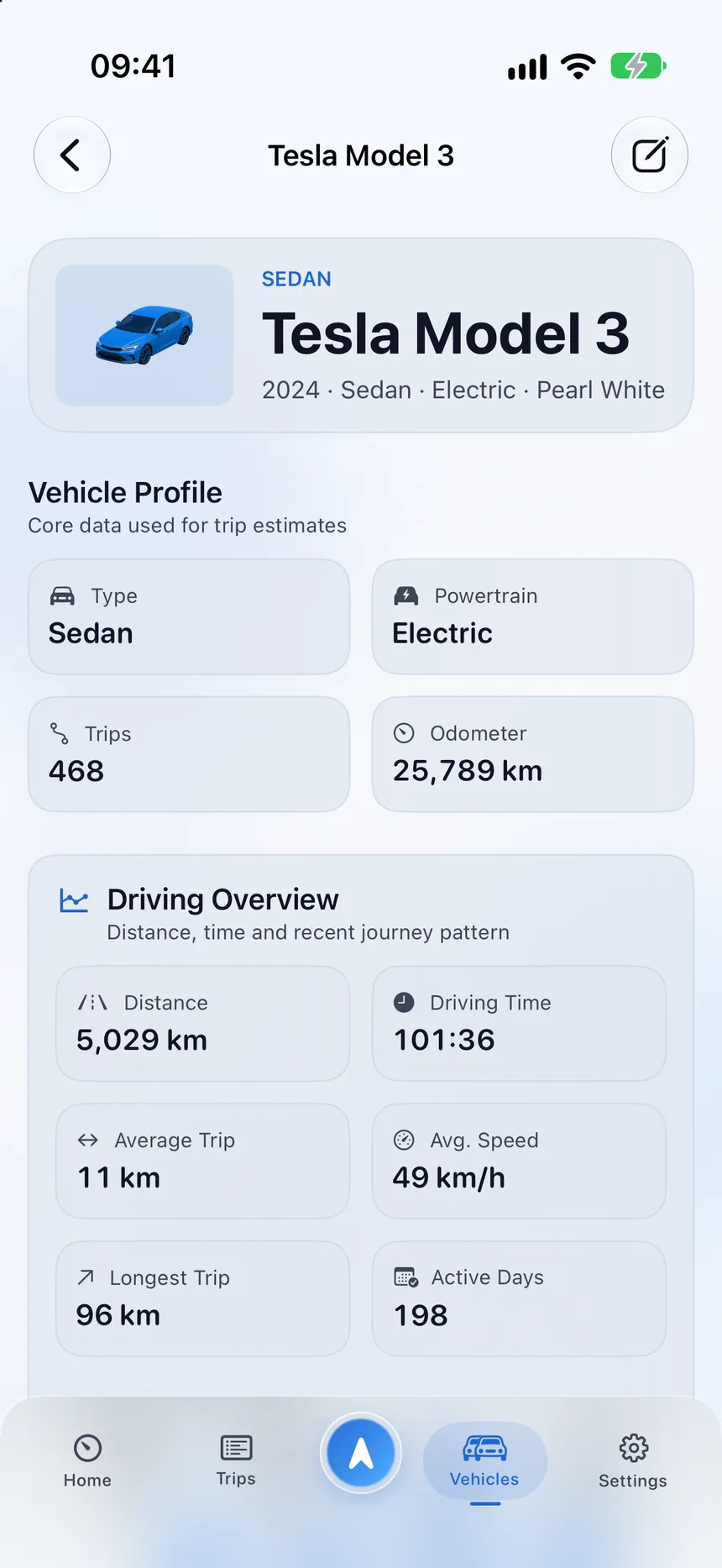
StarLog vehicle profile of a Tesla Model 3 with a driving overview
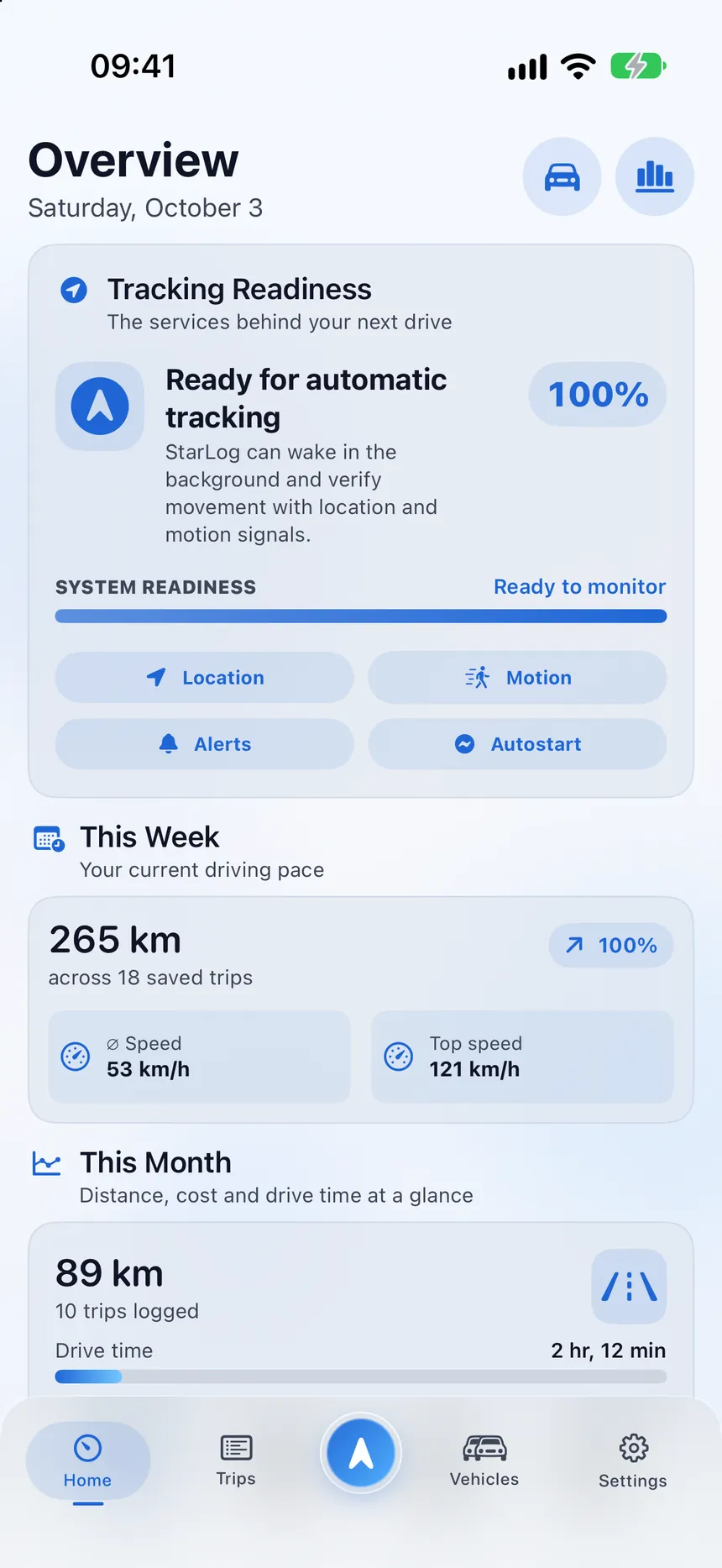
StarLog overview with tracking readiness, weekly distance and monthly totals

For teams

Work trips together. Private trips stay private.

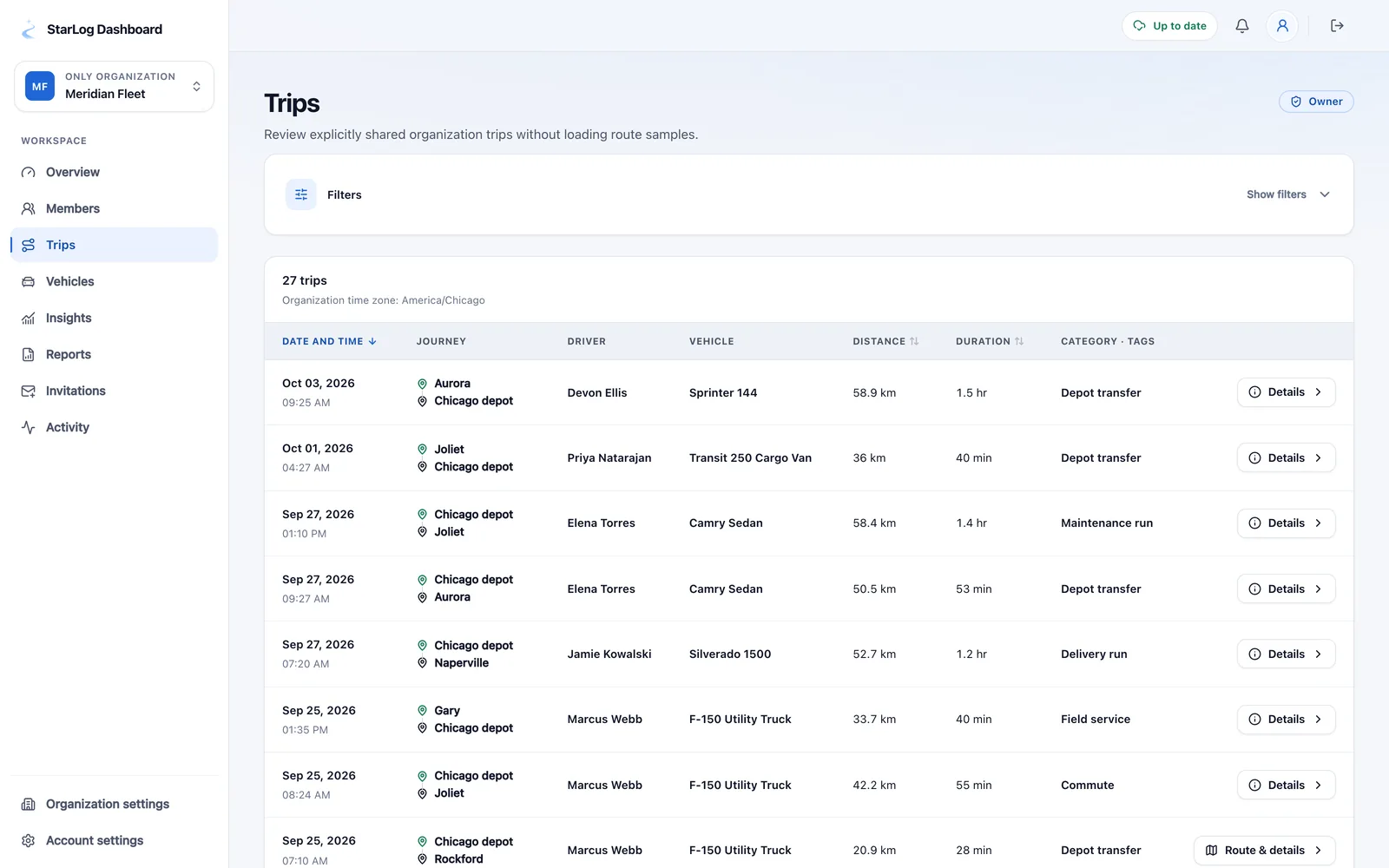
Organizations get a secure web dashboard with shared trips, vehicles, insights and reports, built on a simple promise: members share what they choose to share.

  • Invite members and manage roles
  • Share selected trips with the organization
  • Reports as PDF or CSV for owners and admins
  • A redacted activity log for transparency
Learn about StarLog for teams
StarLog team dashboard with an organization’s shared trips, metrics and members

FAQ

Good questions, clear answers.

Everything people ask before they start their first logbook.

What is StarLog?

StarLog is a mileage tracker and trip logbook for iPhone. It records your drives automatically or manually, lets you organize them by vehicle, category and purpose, and exports clear records as PDF, Excel, CSV and more.

Does StarLog record every trip automatically?

Automatic detection looks at motion, speed and location together and starts a draft only when several signals indicate a credible drive. You can also track a trip live or add one manually, and you can review, edit or delete any trip afterwards.

Can I use StarLog without location or motion access?

Yes. If you decline permissions, StarLog switches to a manual logbook. Vehicles, categories, tags, notes, costs and exports all remain available.

How do I keep business and private trips apart?

Give each trip a category such as Business, Private or Commute, add a purpose, tags or notes, and filter or export by any of them. Changes to category, vehicle or tags are kept in an edit history.

Which export formats are available?

StarLog can export CSV, Excel workbooks, PDF trip reports, business-receipt PDFs, HTML, GPX routes and JSON. Every export carries stable trip IDs and your chosen units.

Is StarLog free?

You can start for free. Optional plans through the App Store unlock higher limits and extra features, and you can manage or cancel them at any time in your Apple account.

Where is my data stored?

On your device and, if you switch on iCloud sync (recommended), in your own private iCloud database, which we cannot read. Only what you choose to share with an organization is stored on our server for the team dashboard.

Are my trips shared when I join an organization?

No. Membership does not give anyone access to your private trips. A trip is shared only when you share it, or when you opt in to auto-share for that organization. You can change or remove a share at any time.

Is a StarLog logbook accepted by the tax authorities?

StarLog creates detailed, exportable records, but requirements differ by country and situation, so please check what applies to you. StarLog does not provide tax or legal advice.

Does automatic tracking drain my battery?

StarLog uses a low-power approach while you are not moving and continuous tracking only during a drive. Actual battery use depends on how much you drive and on your iOS settings.

Which languages and devices does StarLog support?

StarLog is available in English, German, Spanish, French and Italian on iPhone, and this website follows the same languages.

How do I delete my data?

Open Settings, then Privacy & Data, and choose Delete All Data. It removes your local logbook and starts deletion of the private iCloud data that StarLog can control.

Can’t find your answer? Write to us.

Contact us

Ready when you are

Make your next drive the first one in your new logbook.

Download StarLog, set up your vehicle in a minute and let the miles take care of themselves.