Skip to content

Automatic tracking

Automatic trip tracking you can actually trust.

StarLog does not just react to speed. It weighs several signals, protects against false trips and always lets you have the final say.

  • Multi-signal checks
  • Transit protection
  • You confirm
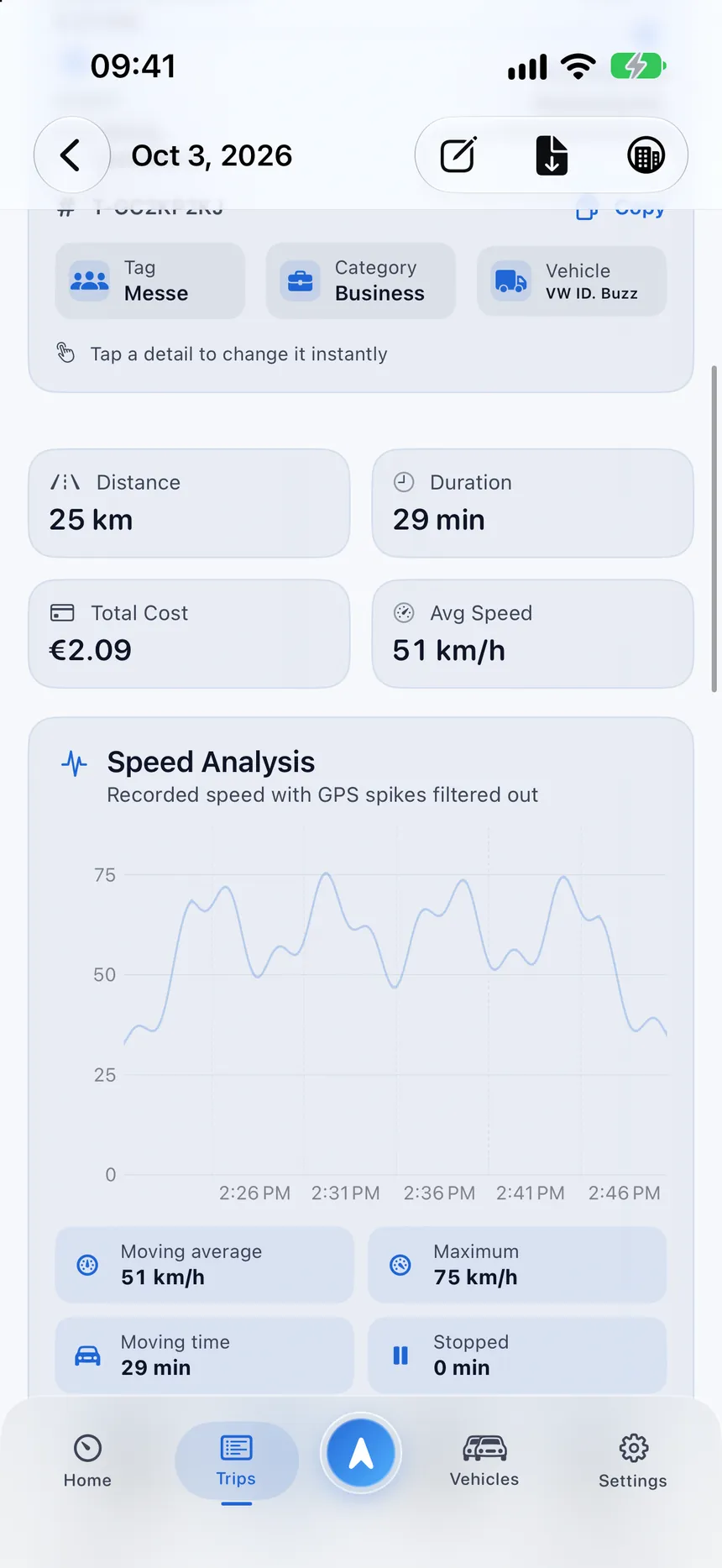
StarLog speed analysis of a trip with its speed profile
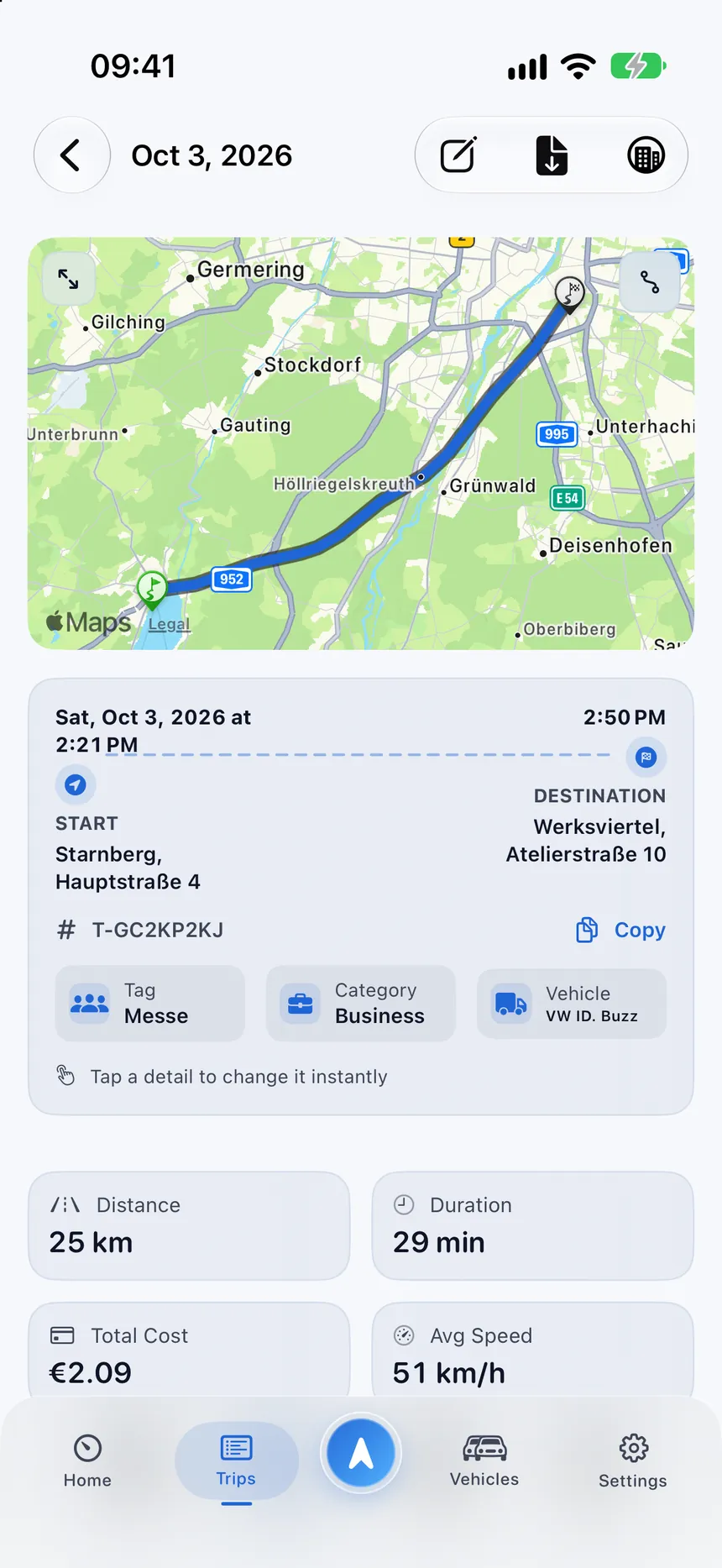
StarLog trip detail with the route on a map from Starnberg to Munich

Protect

Fewer false trips, fewer corrections

Trains running beside a road, traffic lights and weak GPS are exactly where simple trackers go wrong.

  • Transit protection for rail and bus corridors, with your corrections remembered
  • Tunnel handling that never invents measurements
  • Stop reasoning for traffic lights, parking, fuel and charging stops
  • Ambiguous cases ask you instead of saving silently

Checked before anything is saved

  • Train beside the roadNot recorded
  • Waiting at a red lightStays in the trip
  • Tunnel without signalNo data invented
  • Walking to the carAsks you first

Detect

A drive is more than a speed threshold

A single GPS point can mislead. StarLog collects evidence over time before it believes it is looking at a real drive.

  • Motion, speed, distance and location quality are checked together
  • A short history helps recognize a drive even when background samples are sparse
  • Walking, cycling and public transport are told apart from driving
  • Sensitivity and confirmation behavior follow your own settings
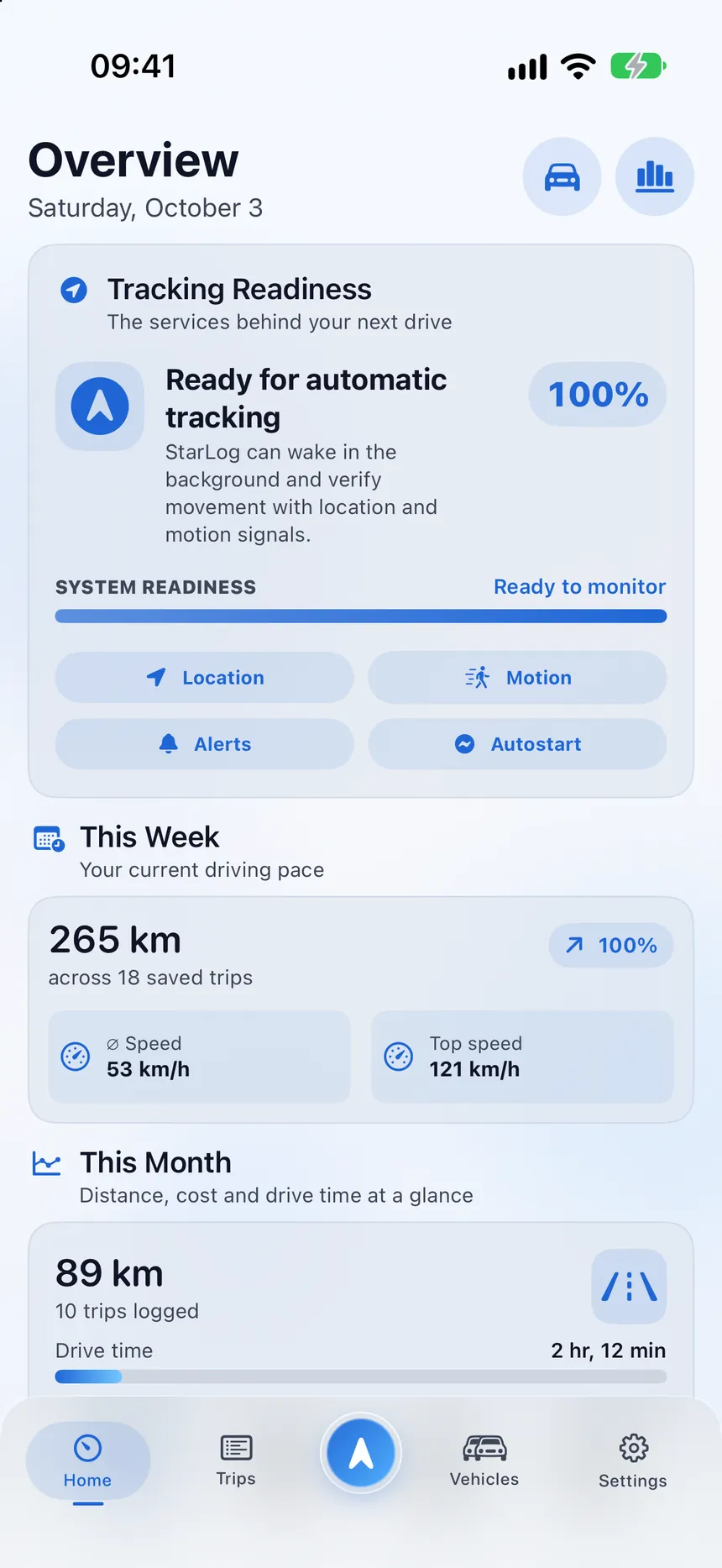
StarLog overview with tracking readiness, weekly distance and monthly totals

Control

You always stay in charge

Automatic never means out of your hands. Every trip can be reviewed, edited or deleted.

  • Choose whether trips are saved automatically or need your confirmation
  • Manual and live trips are never ended automatically
  • Works as a manual logbook if you decline permissions
  • Honest about iOS: if you force-quit the app, background relaunch pauses until you open it again
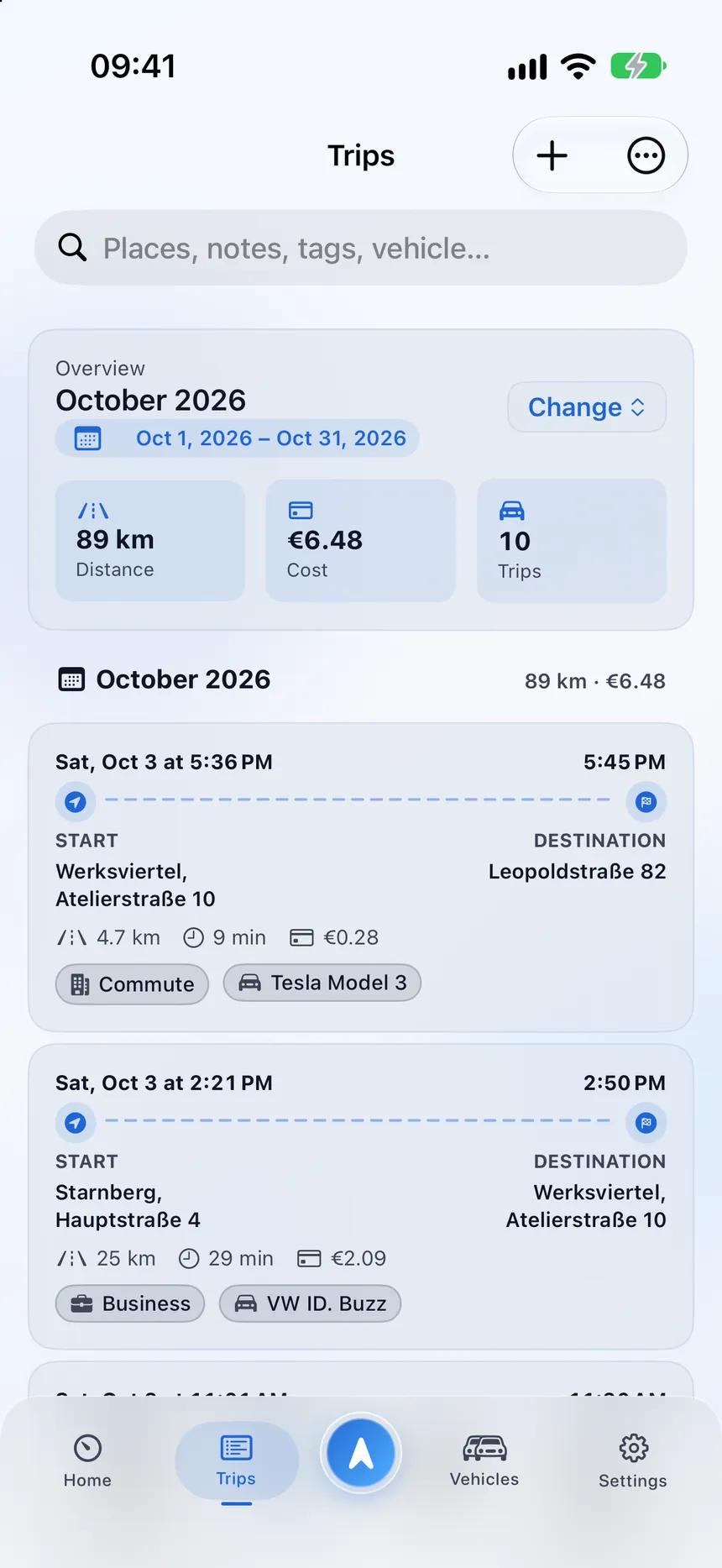
StarLog trip list with a monthly summary, costs and categorized trips

Under the hood

Careful engineering, explained simply.

What StarLog does in the background so you do not have to.

Several signals, one decision

Evidence has to add up before a draft becomes a trip.

Quality-filtered routes

Stale, inaccurate or implausible location points are filtered out before they reach your logbook.

Crash-safe recovery

An active trip is checkpointed regularly, so it can resume instead of starting over.

Place-based starts

Saved places can start or end a trip, and StarLog can reconstruct a missed first segment when eligible.

Smart categories

Destination context can suggest a category. Nothing is created without your approval.

Private diagnostics

Diagnostic views use counters and states, not your coordinates or addresses.

Smart stops

Traffic lights, parking, fuel and charging stops are told apart, so a short stop never splits your trip.

Route events

Hard braking, high-speed segments, pauses and GPS gaps appear on the timeline as plain observations, never as a score.

Let your drives log themselves.

Download StarLog and keep the final say on every trip.